A scanned invoice is saved in M-Files, but the order number can't be found via text search. A query about a document is sent by email, while the corresponding appointment is entered separately in the calendar. And for the next project meeting, someone has to compile the status of all open tasks. Does this sound familiar?
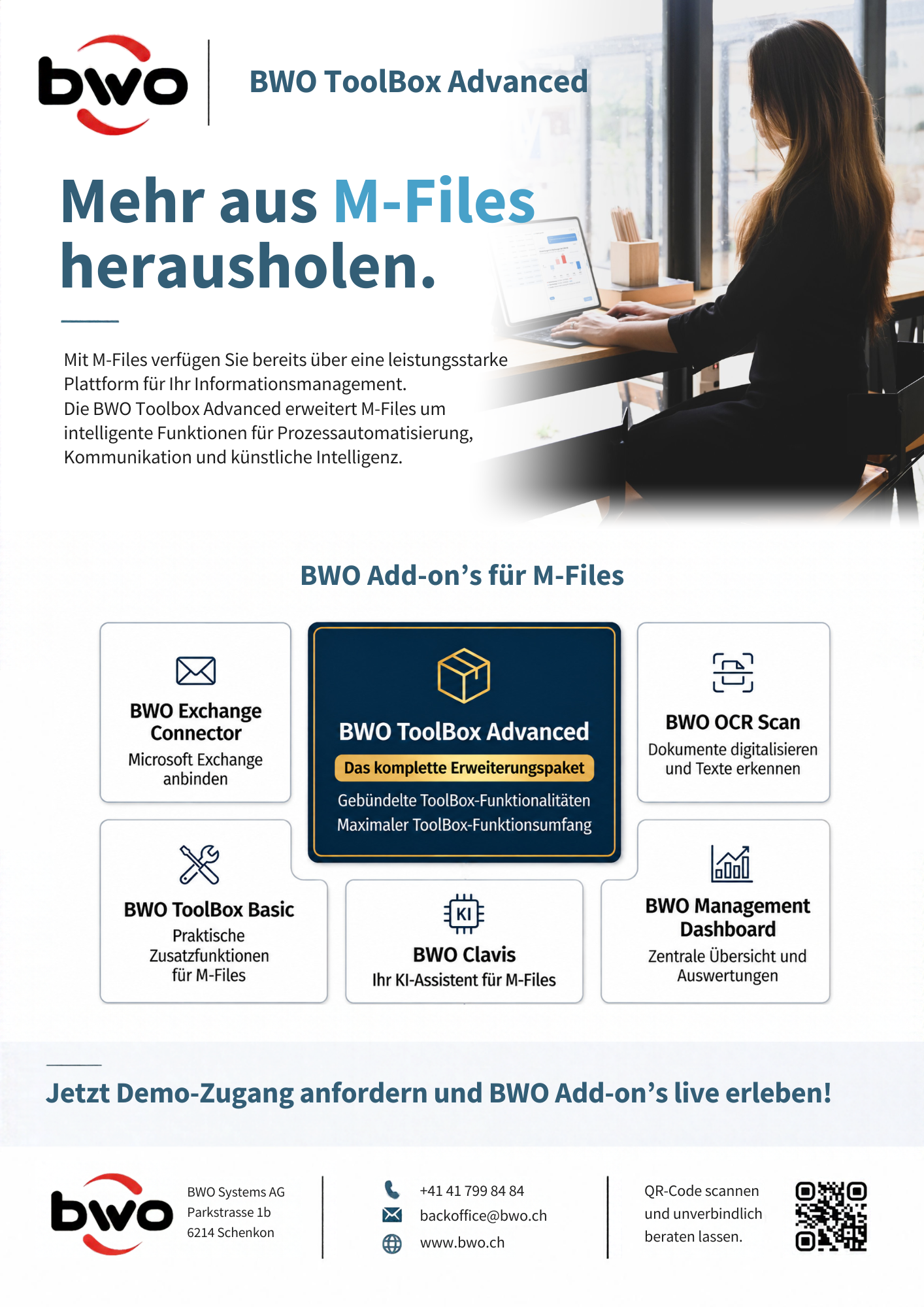
Often, it is precisely these small work steps where an extension pays off. That is why we at BWO Systems AG have developed add-ons that complement M-Files where you need more support in your daily work: in document processing, recurring tasks, communication, or working with corporate knowledge. The extensions can be used individually or bundled in the BWO ToolBox Advanced.
Less manual work with the BWO ToolBox Basic
Creating a filing structure, updating references, or managing substitutions: these tasks are quickly done individually. However, when they are repeated across many documents and processes, the effort adds up. With the BWO ToolBox Basic, you can automate these steps.
One example is the File Importer. It automatically takes files from monitored folders and supports various data sources and database connections. The Structure Builder creates structured filing systems, while the AutoObjectCreator automatically generates M-Files objects. Other modules keep references and information up to date, synchronize substitutions, or document changes so they remain traceable later on.
The ToolBox Basic also helps with data entry: OCR Advanced combines text recognition with automated document processing. Special Properties expands the options for processing metadata and object properties, and Bank Details simplifies the handling of banking information.
Search through scanned PDFs instead of flipping through them
If you are looking for an order number in a scanned invoice, you don't want to check every page individually. Our BWO OCR Scan processes PDFs in the background and makes recognized text searchable. We use the Nuance OCR engine for this. The service automatically scales and prepares PDFs, optimizes their display on Apple devices, and is tailored to M-Files and ERP workflows in BWO Hosting.
The difference compared to OCR Advanced in the ToolBox Basic: BWO OCR Scan focuses on the preparation and searchability of PDFs in the background. OCR Advanced also supports the automated processing of documents.
Handle emails and appointments where the process lives
When you have a question about a document, you don't need to switch from M-Files to your email program. With the BWO Exchange Connector, you can create and send emails directly from M-Files. Appointments, reminders, and tasks can be transferred to the Exchange calendar.
You can document and version communication and appointment information within the corresponding M-Files process. This ensures, for example, that during a contract review, it remains clear which questions were asked and which date is scheduled for further coordination.
Don't just find documents—work with them using BWO Clavis
You have two versions of a contract and want to know what has changed. With our AI assistant BWO Clavis, you can compare the versions directly in your M-Files work environment and have the differences summarized. Clavis also helps you search for information in a targeted manner, relate content from multiple documents to one another, and automatically fill in metadata. The assistant takes existing M-Files permissions and security guidelines into account.
We offer two versions for operation. With Clavis Managed the assistant runs on a dedicated AI infrastructure provided by us. With Clavis Local you operate the solution on your own AI infrastructure.
Open tasks and key figures at a glance
Which approvals are still pending? What stage are open processes currently in? These kinds of questions are easier to answer when all relevant information is consolidated in one place.
With the BWO Management Dashboard, we create an overview tailored to your specific requirements. We can merge information from M-Files with data from external databases and visualize selected key performance indicators. For example, project managers can focus on open tasks and processing statuses, while senior management gains a high-level overview across multiple departments.
Expand individually or use the complete package?
If you would like to improve a specific process first, you can start with the appropriate add-on. If you want to cover multiple areas, you can get the ToolBox Advanced as a complete package containing all BWO M-Files add-ons at a special price.
Where would you like to simplify your daily M-Files routine?
The best place to start is with a task that your team currently handles manually or one that requires them to regularly switch between applications. Get in touch with us. Together, we will look at which extension fits your workflow and whether a single add-on or the BWO ToolBox Advanced is the right choice for you.
Interested? Contact us – we would be happy to advise you.